 Guide On Map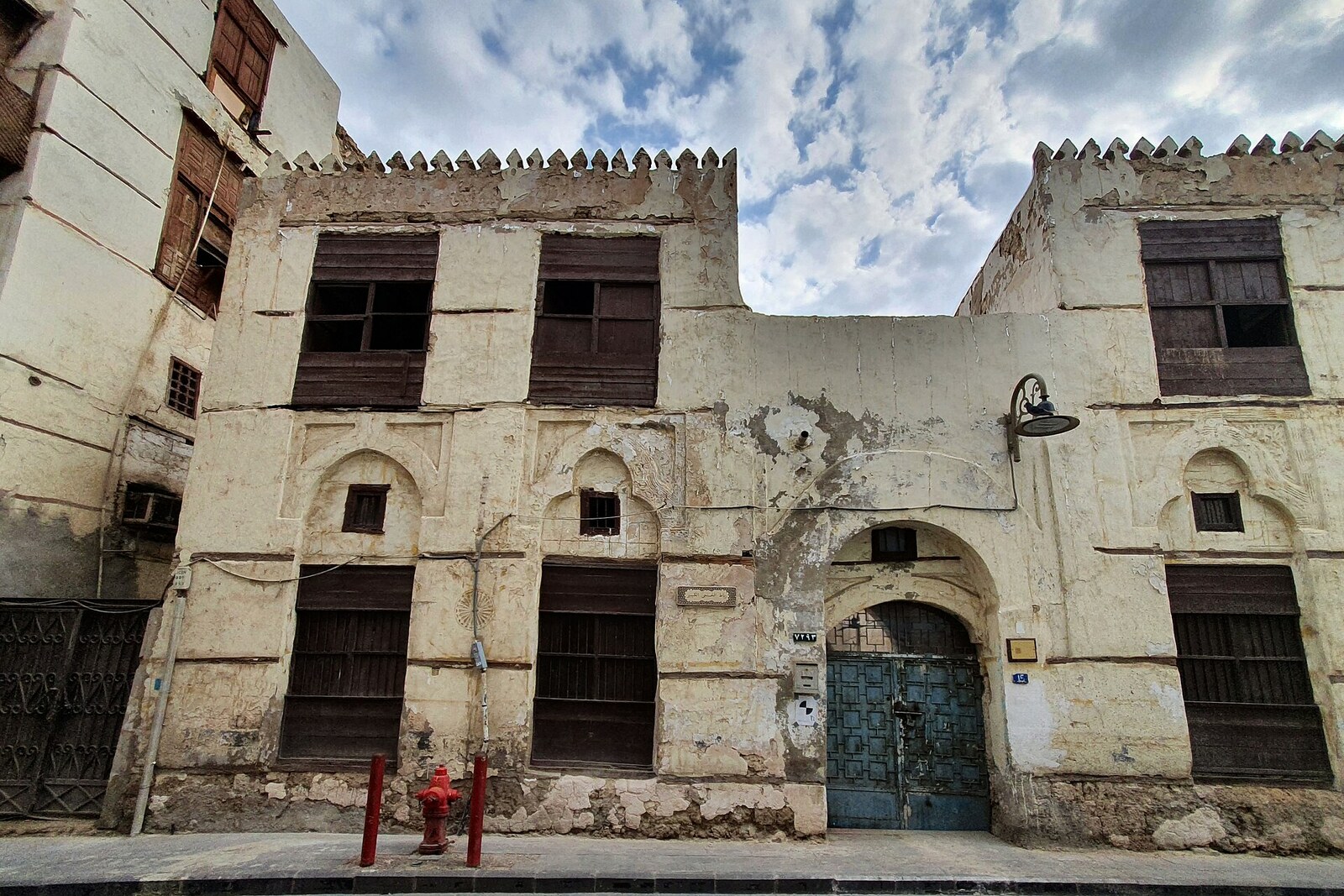
Look around first
What to notice
- Iron door
- Stone facade
- Second-story windows
The story of the place
In eighteen thirteen, the Jeddah merchant Sheikh Mahmoud bin Mohammed Qasim Al-Khunji disposed of this house in a way merchants do not usually dispose of their capital. He turned it into a waqf—charitable property with a purpose fixed permanently. After that, the building could not be sold, given away, or divided among heirs. The merchant, whose livelihood was trade, gave up valuable real estate in the city center so that women with nowhere to live could settle here free of charge.
In old Jeddah, the word “ribat” referred to this kind of charitable housing. Al-Khunji intended it for widows, elderly women living alone, and female travelers left without support. Among them were women pilgrims who arrived by sea and remained in the city until the next stage of their journey. Rather than an outlying area near a caravan stop, Abu Inabah Alley in Harat Al-Sham was chosen for them—the northern quarter of old Jeddah, among family homes and other waqfs. A woman without relatives found herself within an ordinary urban neighborhood, where established families lived nearby and charitable institutions operated.
The layout of the house shows that its residents were given more than a place on a shared floor. Its two stories contained eighteen separate residential units: fourteen below and four above. Each had a room, a kitchen, a living area, and a lavatory. All the rooms opened onto an inner courtyard. The courtyard provided light and air, while the layout, closed off from the street, allowed the women to maintain their own households without outside eyes.
This arrangement lasted for more than a century. Management of the ribat later passed to religious institutions, but the residents were then moved out, and the house stood empty. In nineteen seventeen, the artist Abdullah Al-Othman, together with assistants, completely wrapped the abandoned building in foil for the exhibition work “Suspended.” It was a temporary gesture, not a renovation: beneath the gleaming covering, the old stone walls and empty rooms remained. The Ministry of Culture then restored the building and established artist residencies here; the former residential units became studios that program participants opened to the public at the end of their work.
“Al-Khunji” in the name is the surname of the merchant who gave the house as a waqf. The word “Al-Kabir,” meaning “Great,” distinguishes this ribat from the Lesser Ribat Al-Khunji, which another member of the same family established later. Behind the modern iron door of Ribat Al-Khunji Al-Kabir, two stories of separate rooms around a shared courtyard still remain—the plan through which Mahmoud Al-Khunji’s trading capital became housing for women without homes of their own for more than a hundred years.
Useful on site
Exterior viewing is reliably accessible; no regular public schedule for the interior has been confirmed, and restoration restrictions are possible.
Checked: date not specified. Check the official source before visiting.Do not count on free access to the rooms: the building is used for cultural programs. From the street, its human scale matters most.