 Guide On Map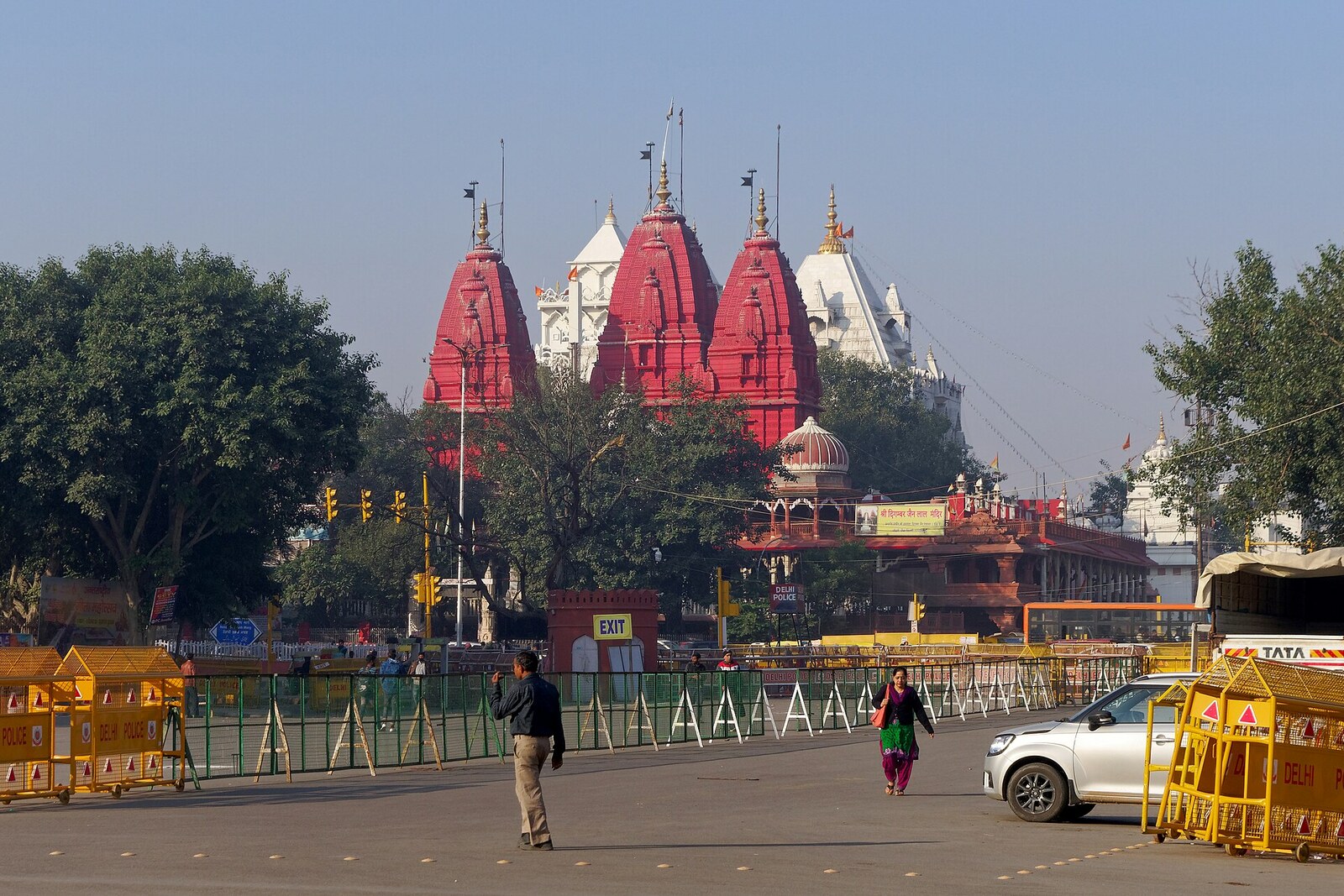
Look around first
What to notice
- Red sandstone facade
- Tall spire
- Inner sanctuary
- Bird hospital building
The story of the place
Behind the red-sandstone facade, the inner sanctuary has survived—the oldest core of the temple, dedicated to Parshvanath, the twenty-third tirthankara of the Jains. A larger building gradually grew up around it: it was rebuilt more than once, especially in the nineteenth century. The tall spire above the sanctuary was erected only after India gained independence, so the exterior here is noticeably younger than what is hidden inside. People still come here to pray and bring offerings.
When Shah Jahan was building Shahjahanabad—present-day Old Delhi—he needed merchants and bankers who could supply the court, extend credit, and fill the new capital with trade. The emperor invited Dipchand Sah from Hisar—a Jain from the Agrawal trading community who earned his living through trade—and granted him land south of Chandni Chowk. Sah built homes here for his sixteen sons. Other Jain merchants and treasurers settled nearby: being close to the Red Fort gave them customers, while the shops of Dariba Kalan gave them a market.
Around sixteen fifty-six, this community established its temple at the beginning of the main bazaar, opposite the fort's Lahore Gate. Its location thus explains the settlement of particular people: the families made their living from trade near the court and built a shrine in the same place where their homes and money were.
The temple is dedicated to Parshvanath, the twenty-third tirthankara. In Jainism, a tirthankara is a person who attained liberation and showed others the path to it. Prayers and offerings are made here before his image. The word “Digambar” means “clad in the sky” and names a Jain tradition in which a monk's complete renunciation of property includes even clothing. “Lal Mandir” translates much more simply as the Red Temple.
It did not become red at once. The building was rebuilt many times, expanded in the nineteenth century, and the tall spire above the sanctuary was erected only after India gained independence. That is why the present red-sandstone facade reflects the later history of a community that grew wealthy near the Mughal court. The inner sanctuary survives from the early temple; the building that gave the shrine its modern name grew up around it.
In the courtyard, this story continued with a facility serving a separate purpose. In nineteen thirty, the brothers Lala Sardari Mal Jain and Lala Ratan Lal Jain opened a hospital for injured birds in Old Delhi. At first, it was housed beneath a tin roof in another lane. In nineteen fifty-seven, its present building was constructed beside the temple.
Birds were brought specifically to a Jain shrine because of the principle of ahimsa—the refusal to harm living beings. Here they are examined, treated, and kept in cages until they can fly again. Recovered birds are moved to an open terrace and released from the roof of the Red Temple.
Useful on site
Do not block the entrance, and remember that this is an active shrine, not a museum display. If you decide to enter, follow the rules posted on site and check in advance whether the hospital can be visited.