 Guide On Map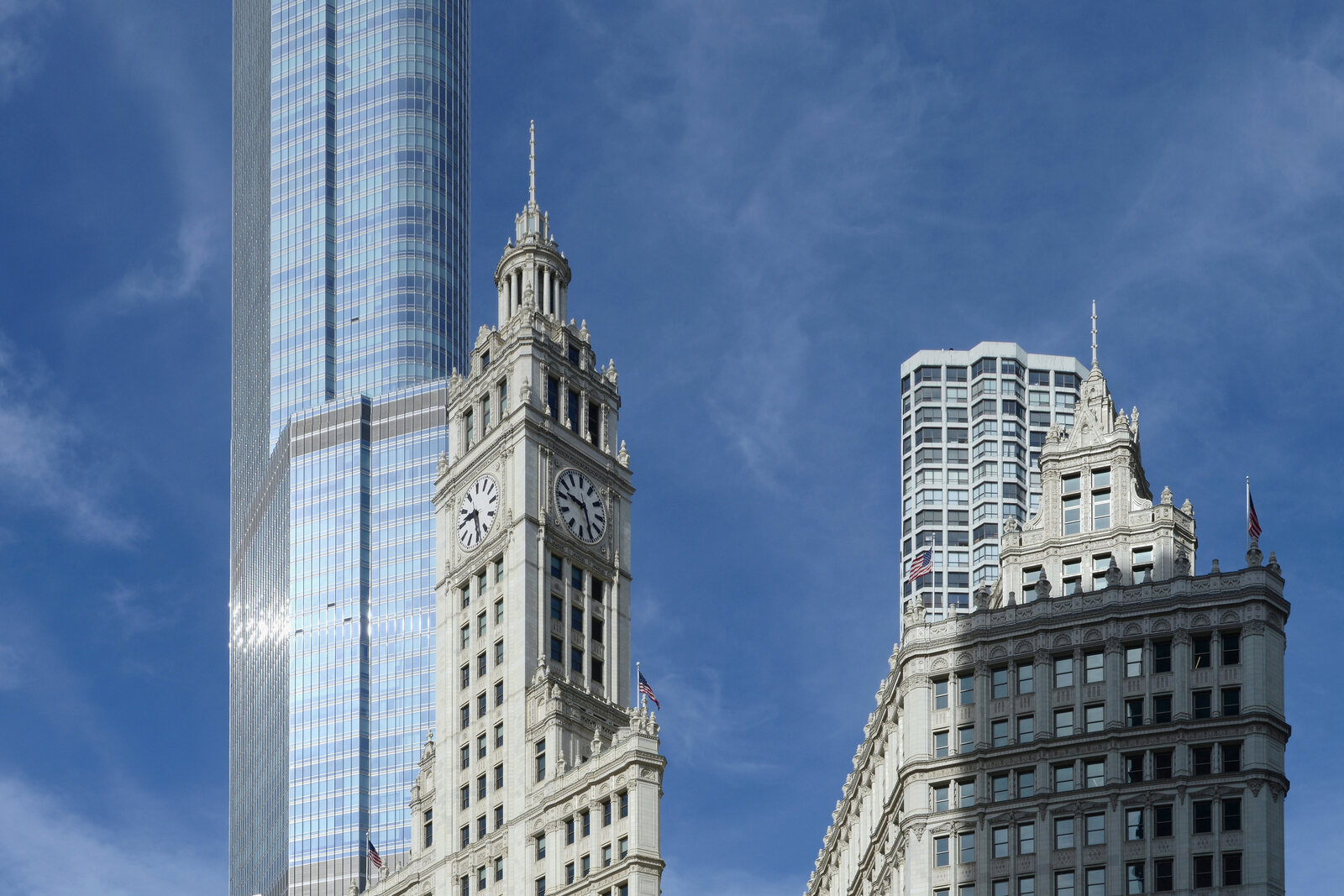
Look around first
What to notice
- White glazed terracotta
- Clock tower
- Covered walkways between the sections
The story of the place
By the river stands an office complex of two connected sections, built as a prominent new edge of the business district. The façades are clad in light, glossy ceramic in several shades, while the clock tower and evening light help distinguish the building from afar. The south section opened first; the north section later rose beside it, and covered walkways brought them together into a single whole. Other companies and stores now operate inside, but the complex’s old name has been retained.
In nineteen nineteen, while the bridge was still under construction, William Wrigley Jr. bought this irregular lot on the north bank. He owned a chewing-gum company and was looking for a site for a new headquarters. Small industrial buildings stood around it; there were as yet no large offices north of the river. Wrigley expected the bridge to direct traffic here from the business district, and he invested money earned from the mass sale of chewing gum in that expectation.
He had accustomed customers to his brands through persistent advertising. Wrigley advertisements appeared on streetcars across the country, and an illuminated sign in Times Square cost him one hundred four thousand dollars a year. Journalists therefore expected the most prominent site by the new bridge to become a huge advertisement for chewing gum.
Wrigley decided not to place either images of a pack or advertising lettering on the façade. He explained his calculation this way: people would talk about the absence of a sign precisely because they expected the opposite from him. His name was associated with the tower under construction anyway, and the building itself was meant to be remembered better than yet another billboard.
The architects achieved this with white glazed terracotta in six shades, nighttime illumination, and a clock tower raised almost to the limit permitted by the city. The south section opened in nineteen twenty-one. Wrigley soon commissioned the north section; it was completed in nineteen twenty-four. The two sections were connected by covered walkways. Other lot owners followed Wrigley’s lead, and large commercial buildings began to appear along the new Michigan Avenue.
The company sold the complex in two thousand eleven and, by the end of the following year, moved its employees out of it. A condition of the sale stipulated that the name could not be changed. Other offices and stores now occupy the spaces, but the Wrigley Building still stands by the river—William Wrigley Jr.’s headquarters without the former company inside.
Useful on site
Exterior viewing daily; unrestricted interior access is not included in the route.
Checked: June 29, 2026. Check the official source before visiting.The main features are visible from outside; the office spaces are not part of the walk. For an overall view, step back until both towers fit within your field of vision.