 Guide On Map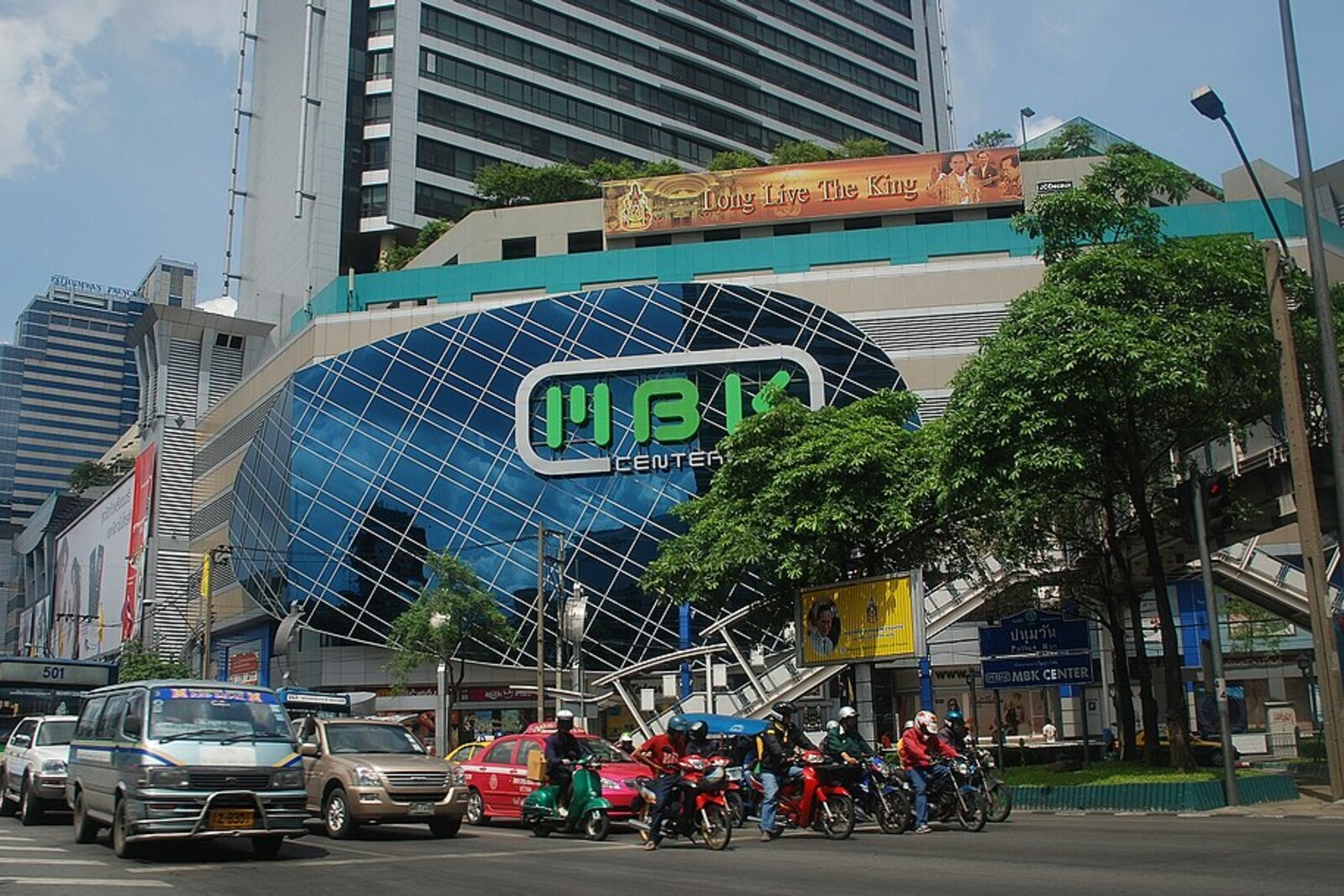
Look around first
What to notice
- The letters “MBK” on the facade
- Statues of Mah and Boonkrong
- Rows of small shops
- Mobile technology sections
The story of the place
At the Pathumwan intersection stands an eight-story shopping complex, for which the university leased out a large, continuous plot in an already established shopping district. From outside it is one building, but inside the operator has divided the space into sections and small units leased by independent merchants. This makes the rows of phones, clothing, souvenirs, and repairs feel more like a covered market than a single department store. Hundreds of separate sellers operate in the mobile technology area.
The three letters on the facade are what remains of two names. “MBK” shortens the former name “Mah-Boonkrong”: Mah was the father of entrepreneur Sirichai Bulakul, and Boonkrong was his mother. Their son combined his parents’ names long before this building appeared.
Sirichai made his money from grain. In nineteen seventy-four, he founded a company for drying and silo storage of agricultural products. It exported rice and corn, built grain elevators, and sold packaged rice under the Mahbunkhrong brand. Sirichai then decided to bring the system he knew to the center of Bangkok: gather many vendors under one roof and collect payments for retail space.
His company leased about four hectares from Chulalongkorn University at the Pathumwan intersection. A shopping district had already formed nearby, while the university’s single continuous plot made it possible to combine shops, a department store, a hotel, and an office tower in one complex. Sirichai financed the expansion with large domestic and foreign loans. The entire group that had grown out of the grain trade was at stake.
On February seventh, nineteen eighty-five, the Mahbunkhrong Center opened. At the time, it was called Asia’s largest shopping complex. Yet the building’s size did not mean that the invested money had already been recovered. The baht’s devaluation and the economic downturn hit companies burdened with loans. In the late nineteen eighties, financial institutions that the group could not repay took control of its businesses. Sirichai lost the shopping center named for his parents.
The new managers did not close the complex. They restructured the company, retained the leasing of space to many separate merchants, and eventually took it public. In nineteen ninety, the former grain company was renamed the MBK real estate and development company, and in two thousand, the name of the shopping center itself was shortened as well.
This explains its present layout. Most stalls selling phones, clothing, souvenirs, and repairs belong to independent tenants. The operator divides eight floors into units and sections; hundreds of separate sellers operate in the mobile technology area alone. That is why, inside this large urban complex, some areas are laid out more like a covered market, with narrow rows of small shops, than like a single department store.
Statues of Mah and Boonkrong remain on the ground floor. Sirichai lost the center he created, and the new owners removed the full names from the sign, but left their first letters.
Useful on site
Officially open daily 10:00–22:00; individual tenants and services may operate differently.
Checked: June 28, 2026. Check the official source before visiting.It is easy to lose track of time in the maze of departments; assess the origin and quality of branded goods carefully.