 Guide On Map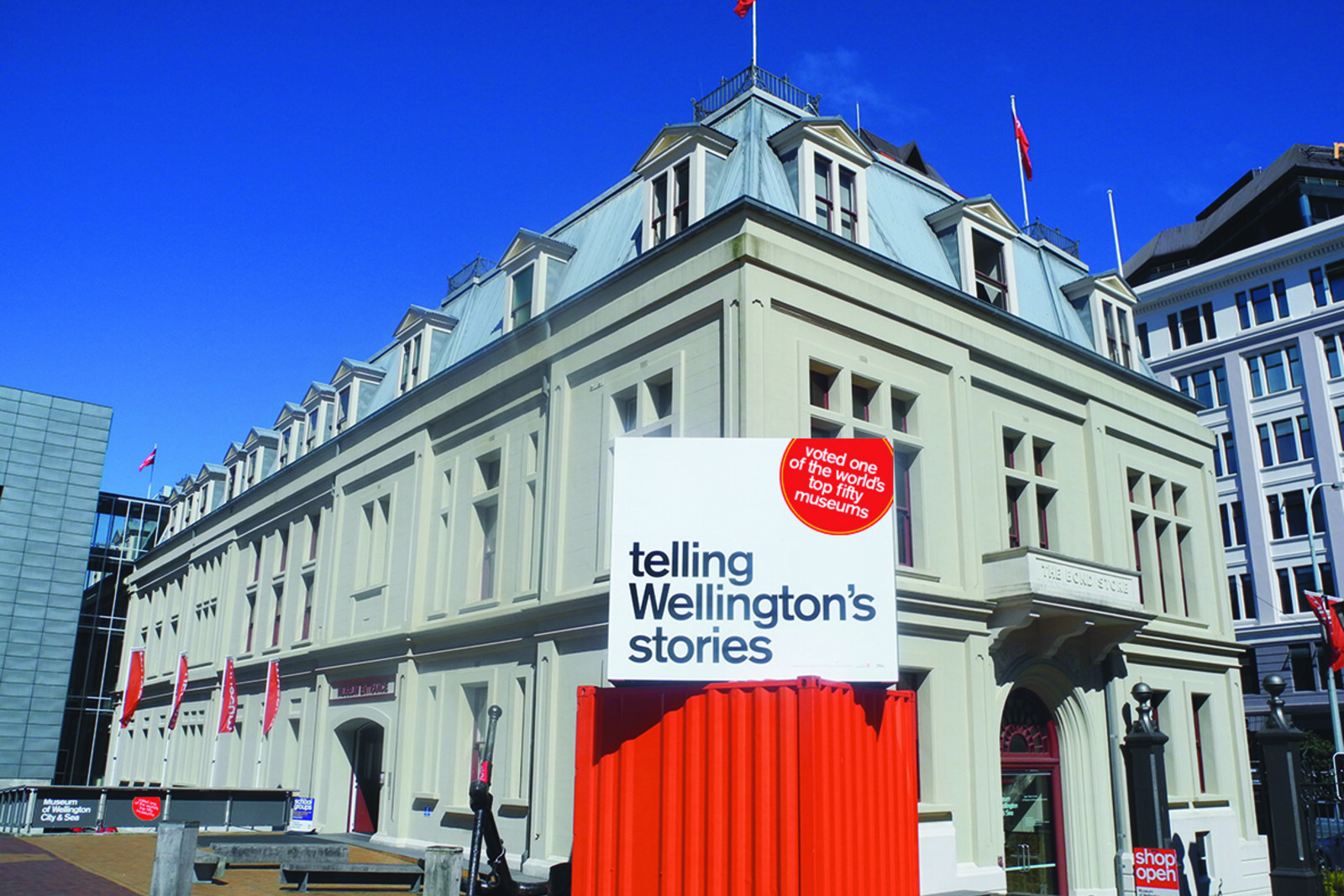
Look around first
What to notice
- The concrete facade of the former warehouse
- The bronze figure of Paddy
- The two bowls of the drinking fountain
- The gates of Queens Wharf
The story of the place
Wellington Museum occupies a former bonded warehouse. Goods unloaded from ships were locked here until the duty was paid. In the old wooden warehouse known as Queen's Bond, the predecessor of the current building, thieves drilled through the floor from below and stole alcohol. Members of the Wellington Harbour Board decided to replace it with storage protected from fire and thieves. Architect Frederick de Jersey Clere designed the concrete building, completed in eighteen ninety-two. The board’s own offices were located on the wharf side.
Queens Wharf was named after Queen Victoria. It opened in eighteen sixty-two as Wellington’s first public wharf. Passengers and cargo passed through it, and sailors, port employees, and taxi drivers gathered at its gates. In the late nineteen twenties, they decided to keep one stray resident here.
According to the accepted biographical account, the Airedale Terrier was first called Dash. He belonged to a sailor’s young daughter and often came with her to the wharf to meet her father’s ship. When the girl died in nineteen twenty-eight, the dog left home and returned to the place where he knew people and the way to the ships. On the waterfront, he came to be called Paddy the Wanderer.
The stray dog could be caught as unregistered. Dockworkers, sailors, board employees, and taxi drivers wanted to keep Paddy at the wharf: they fed him, protected him from dogcatchers, and took turns paying the annual license. The Wellington Harbour Board eventually officially employed him as an assistant night watchman—to watch for pirates, smugglers, and rodents.
Paddy never acquired one new owner. Sailors took him aboard ships to other New Zealand ports and Australia, taxi drivers drove him around the city, and in December nineteen thirty-five, one of the taxi drivers took off with the dog in a Gipsy Moth biplane and kept him in the front cockpit. When Paddy grew old and ill, a place was kept for him in a port shed.
He died on July seventeenth, nineteen thirty-nine. Newspapers printed notices, and a farewell message was broadcast on the radio. Twelve taxis formed a funeral procession that set out from Queens Wharf; port workers and sailors came out to see Paddy off.
By the south wall of the seventh shed, right by the wharf gates, a bronze figure of Paddy remains above a drinking fountain. Below are two bowls for dogs. Opposite, in the former Wellington Harbour Board warehouse, his story became part of the Wellington Museum exhibition.
Useful on site
As checked on 2026-06-30, the museum lists hours of 10:00–17:00 daily. General admission is listed as free; fees may apply to international visitors; viewing the exterior does not depend on a ticket.
Checked: June 30, 2026. Check the official source before visiting.The facade and port details can be viewed from outside. Plan a museum visit separately and check access in advance; use only permitted routes around working and fenced-off areas of the wharf.