 Guide On Map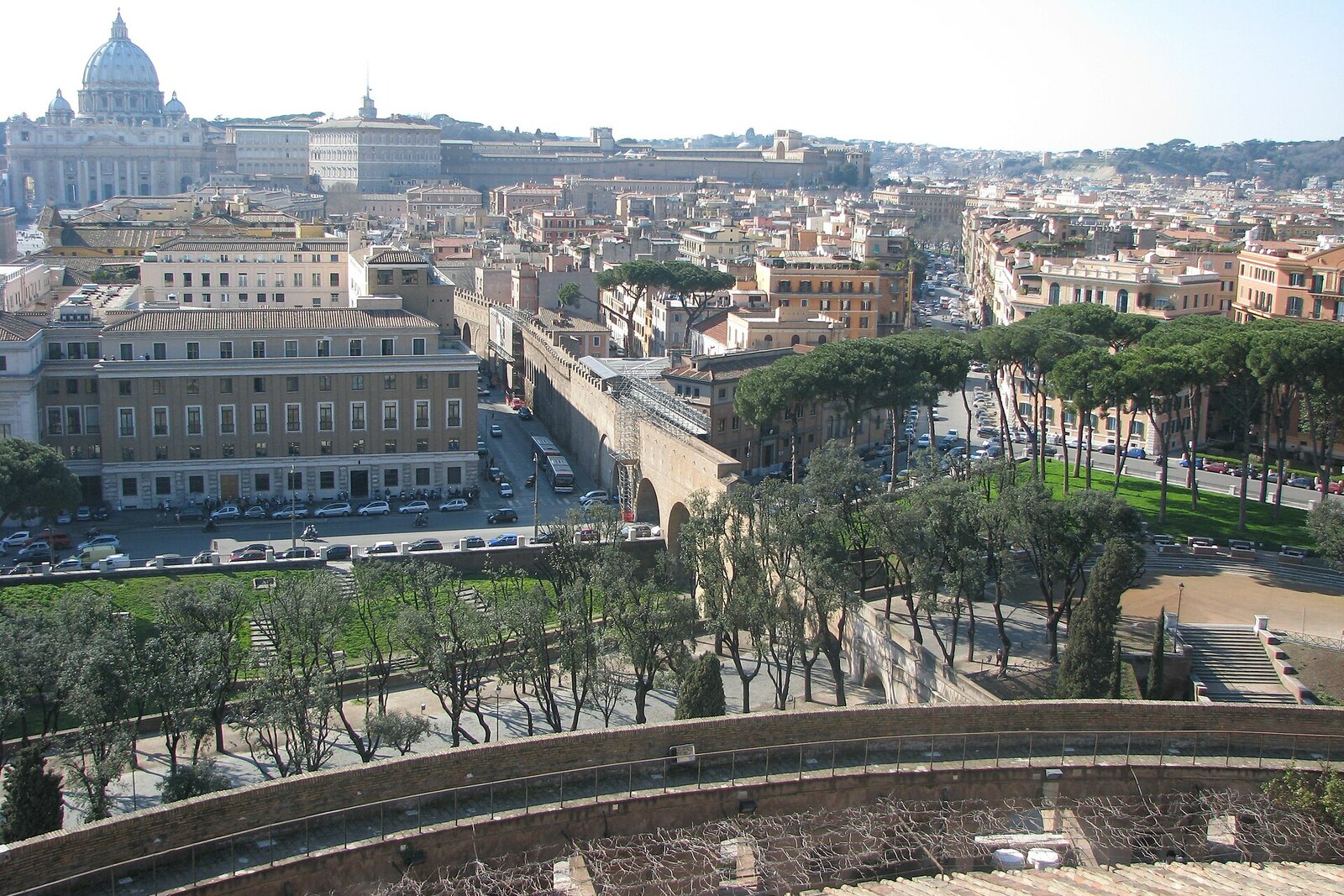
Look around first
What to notice
- Brick fortification wall
- Enclosed lower corridor
- Open upper walkway
- Where the wall enters Bastione San Marco
The story of the place
The brick wall through Borgo runs from the papal residence to Castel Sant'Angelo and at Bastione San Marco enters directly into its structure. The old fortifications here were adapted for a protected passage, and a lower covered gallery was added later. Above it, an open walkway was left for the guards on duty.
On January seventh, fourteen ninety-five, Pope Alexander VI Borgia, trying to retain the throne and not recognize French claims to the Kingdom of Naples, left the Apostolic Palace for Castel Sant'Angelo. He did not go out into the street. The pope reached the fortress by way of a passage laid over an old wall through the Borgo district.
That is how Passetto di Borgo is arranged. “Passetto” means a narrow passage; Romans called it “er Corridore”—the corridor. As early as twelve seventy-seven, Pope Nicholas III Orsini, who was establishing a residence in the Vatican, ordered the palace connected to Castel Sant'Angelo. The existing fortification wall was turned into a road that allowed one to reach shelter without descending into the city.
The French king Charles VIII was moving through Italy to conquer the Kingdom of Naples. To legitimize the campaign, he needed papal recognition of his rights to the Neapolitan crown. Traveling with the king were Alexander's opponents, who proposed convening a church council and deposing the pope for simony—the purchase of votes in an election.
On the last day of fourteen ninety-four, the French army entered Rome. A week later, Alexander moved along Passetto di Borgo to Castel Sant'Angelo with his son, several cardinals, and four hundred Spanish soldiers. Charles demanded that the fortress be handed over to him. Alexander refused, and envoys began traveling between the king and the pope shut inside Castel Sant'Angelo.
On January fifteenth, the sides concluded an agreement. Charles received passage through the Papal States, temporary control of the port of Civitavecchia, and the pope's son, Cardinal Cesare Borgia, as a hostage. Alexander retained the throne and never recognized the French king as the lawful ruler of Naples.
Thirteen days later, Charles led the army south. Cesare escaped from the French only two days later. Alexander then joined an alliance against Charles and, by July, returned to Rome. The French quickly occupied Naples, but could not hold the kingdom.
Work on Passetto di Borgo was still continuing at that time. Alexander reinforced the corridor and Castel Sant'Angelo; by fourteen ninety-seven, the passage was completed. During his reign, an enclosed lower level was added, defining the structure's present appearance. Behind the brick wall, a covered corridor still runs today; above it is an open walkway for the guards, and on the Castel Sant'Angelo side, both levels lead directly into Bastione San Marco.
Useful on site
Visible freely from outside; access inside is available only through special tours and according to a schedule.
Checked: June 25, 2026. Check the official source before visiting.From the street, the structure of the passage is easy to make out, but there is usually no free entry inside. Access to the corridor must be sought as a separate special visit.