 Guide On Map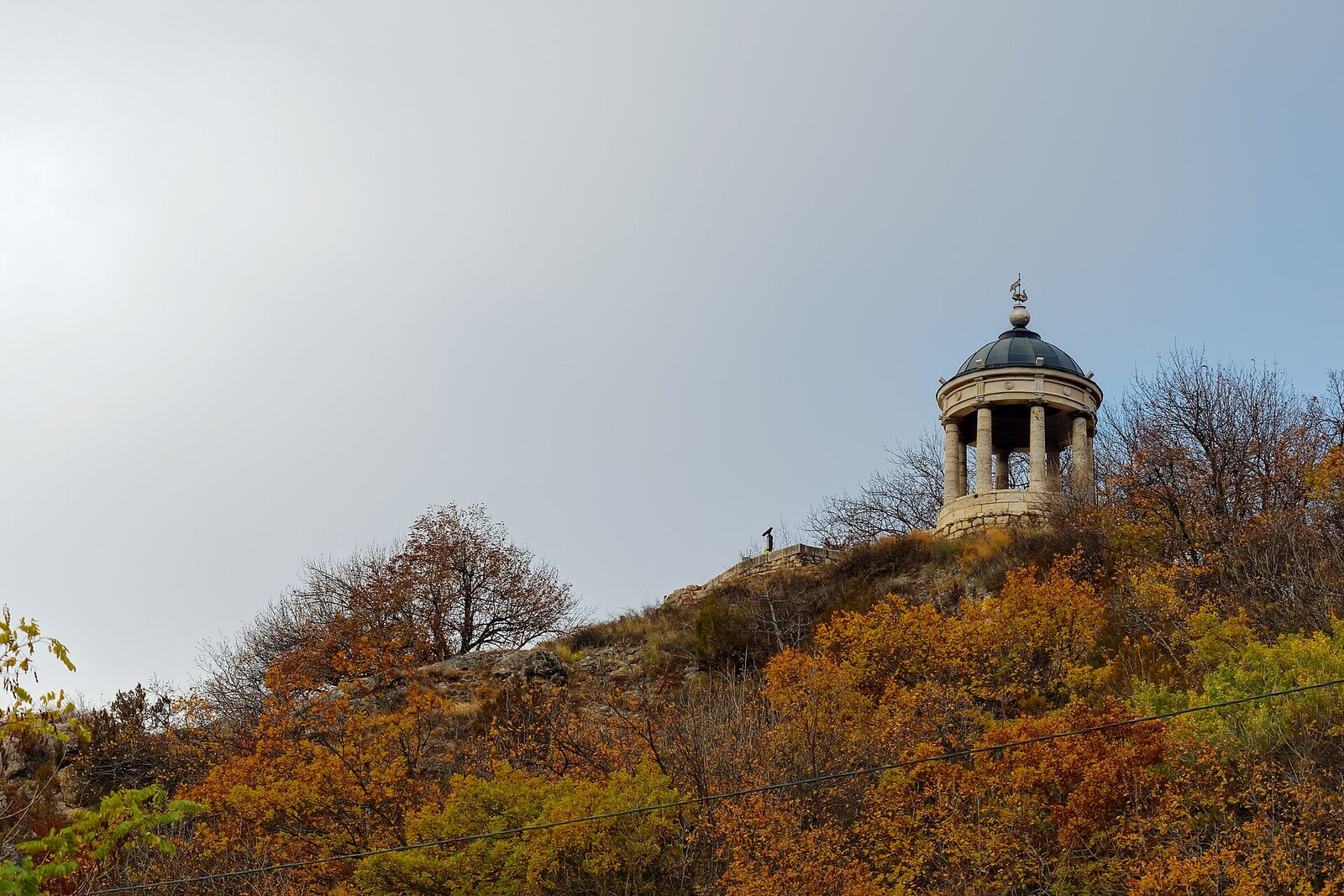
Look around first
What to notice
- The rotunda's white columns
- The pavilion dome
- The circular platform
- Loudspeakers beneath the dome
The story of the place
The circular platform with white columns and a dome stands on an open ledge of Mount Mashuk, where nothing obstructs the wind and the approaches to the old settlement are visible from above. Before the spa pavilion, an observation post was kept here; later, the site became part of the new park as a location for a viewing pavilion. It was conceived in the Greek style, with a statue of the lord of the winds beneath the dome, so the form of the pavilion grew out of the slope itself and the air around it.
There has long been no harp beneath this dome—the harp that gave the pavilion its name. It appeared here thanks to a doctor who considered music part of spa treatment.
In eighteen thirty, General Georgy Emmanuel, commander of the Caucasian Line, ordered viewing pavilions to be laid out on the heights of the new park. For this site, architect Giuseppe Bernardazzi designed a Greek rotunda with a statue of Aeolus, the ancient Greek god of the winds. The place had previously served as an observation post: the approaches to the settlement were clearly visible from here. The same wind-exposed ledge was chosen for the pavilion.
The design was changed by Fyodor Conradi, the first permanent chief physician of the Caucasian Mineral Waters. He treated those who came to the springs and managed the spa facilities: baths, galleries, and parks. Conradi loved music and maintained that it had a beneficial effect on the mental state of patients. Instead of the stone Aeolus, the doctor proposed installing a real wind instrument. Emmanuel agreed, and two harps were ordered for the pavilion.
An Aeolian, or wind, harp required no musician. Two sets of gut strings were enclosed in a round wooden body with narrow slots. A vane attached to it turned the body toward the airflow. The wind made strings of varying thickness vibrate, while the wooden box amplified their overtones. Aeolus gave the instrument its name precisely because human hands did not touch the strings.
Every autumn, attendants removed the device and carried it away for storage; before the new spa season, they returned it and tuned it. The harps were repaired several times. They worked for about thirty years, but in eighteen sixty-one they finally went out of tune and were written off. The pavilion retained the name of the vanished instrument.
In nineteen seventy-two, Pyatigorsk engineers installed an electromechanical harp beneath the dome, also controlled by the wind. It operated for almost twenty years, then was dismantled. In two thousand eight, loudspeakers were mounted beneath the dome. Their music no longer depends on the movement of the air. Nothing remains here of the original device: neither its wooden body, nor its vane, nor its strings.
Useful on site
An open pavilion with no ticket required. Sound is not guaranteed: the equipment may be switched off or retuned.
Checked: July 12, 2026. Check the official source before visiting.Do not expect the sound of an old string mechanism: the historic harp has not survived, and the current music is produced by equipment.