 Guide On Map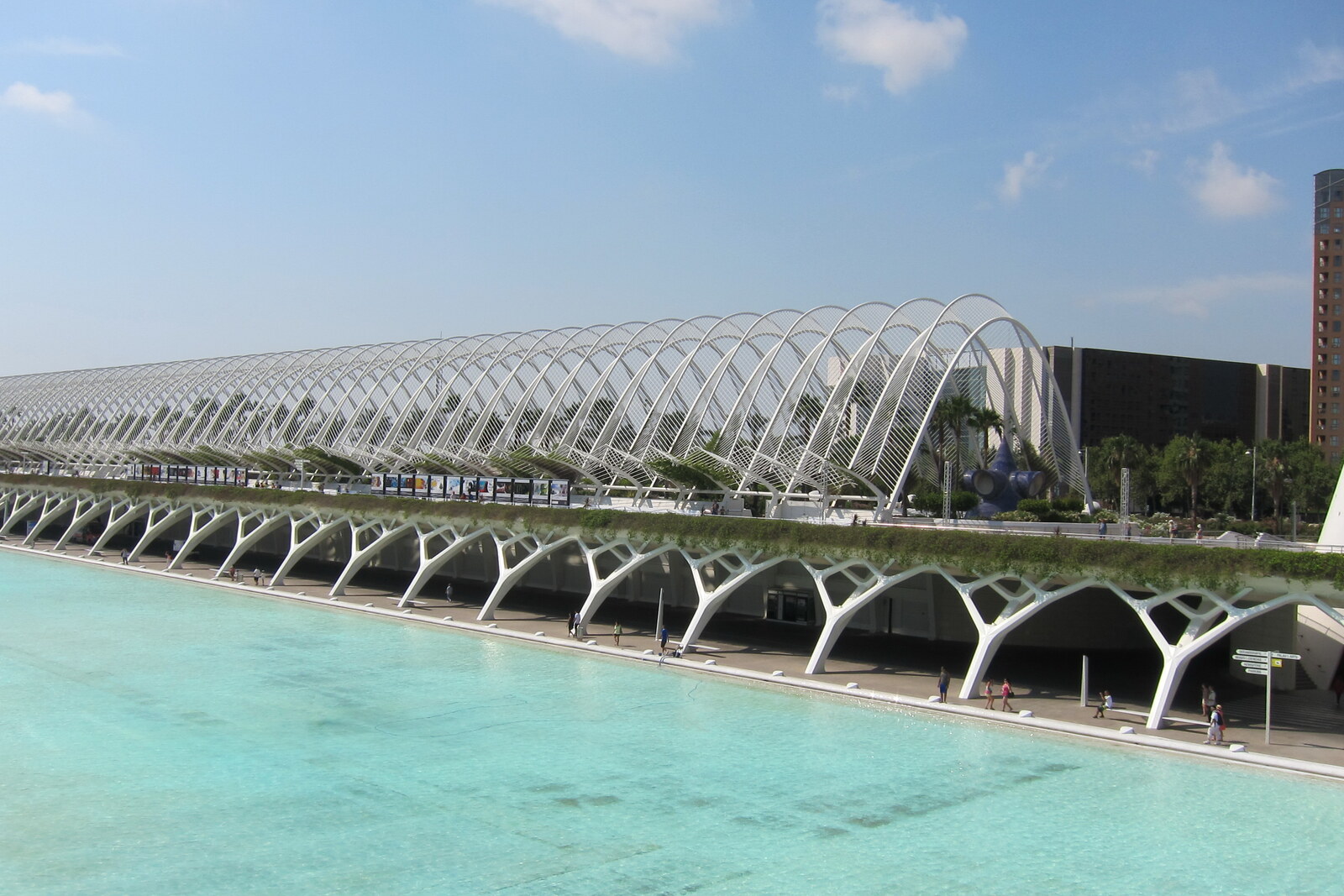
Look around first
What to notice
- Rows of white arches
- Palms
- Climbing plants
- Instruments from the Astronomy Garden
The story of the place
Above the multilevel parking garage lies a massive roof, on which a garden and the southern walking area of the City of Arts and Sciences were created. The supporting structure is designed for a layer of soil deeper than a meter, so palms, orange trees, lavender, and rosemary grow here above the cars. Along the walkway run one hundred nine white arches, up to eighteen meters high. The name Umbracle is connected with the Valencian garden canopy: its lattice and branches provide shade without enclosing the air.
The white arches above the garden were meant to almost disappear beneath climbing plants.
Santiago Calatrava, the architect and engineer commissioned to create the buildings of the City of Arts and Sciences, wanted to make this the complex's southern entrance and a walking area with views of the Hemisfèric and the Museu de les Ciències. The site stood at the edge of the former riverbed, about seven meters above the main buildings. A large parking garage was needed below. Calatrava covered it with a roof able to support a layer of soil up to one and a quarter meters deep, and created a garden on top of that roof.
The name explains the structure. The Valencian word “umbracle” means a garden canopy, beneath which branches or a lattice let air through while protecting plants from strong sun. Calatrava enlarged such a canopy to the scale of an urban structure: one hundred nine white arches, up to eighteen meters high, were set over the walkway.
Yet the arches themselves were intended only as supports. The architect's team planted about four hundred fifty honeysuckles and bougainvilleas. Their shoots were meant to be trained along the metal, so that in time a living cover of shade would close over the walk. Palms, bitter orange trees, rosemary, lavender, and shrubs were planted alongside. When the garden opened on November third, two thousand, visitors were told that it would reach full maturity in two or three years.
The palms and lower plantings grew. The climbing plants did not cover the entire lattice: most of the tall ribs remain exposed even now. The unbroken green roof for which Calatrava chose the umbracle type never materialized.
But the roof engineered to support the load continues to hold the garden above the cars. A free promenade runs across it, sculptures and instruments from the Astronomy Garden are displayed among the plantings, and the gaps between the arches leave an open view of the entire complex. The parking garage is beneath your feet; above your head is the framework of the canopy that the plants never completed.
Useful on site
The outdoor walking gallery is usually accessible during the complex's opening hours; evening areas, events, and service work may affect access.
Checked: June 28, 2026. Check the official source before visiting.The space above changes depending on the time and events, and the parking garage is beneath the garden; do not consider the night program part of the usual walk.