 Guide On Map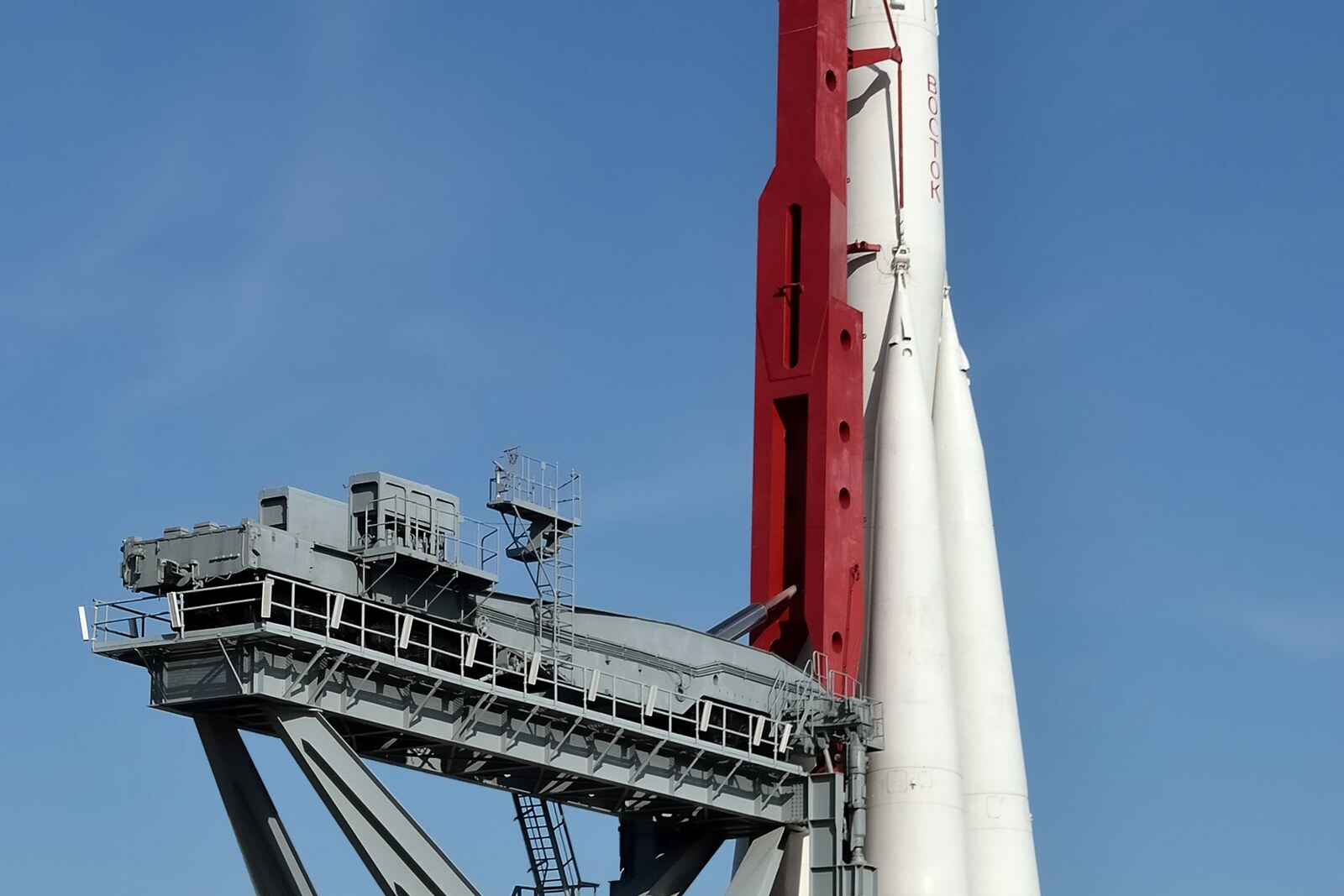
Look around first
What to notice
- White rocket body
- Red inclined gantry
- Gray platform
- Black wheelsets
The story of the place
In the fall of two thousand ten, repair barriers appeared around the Vostok, and a rumor spread through Moscow that the rocket was going to be dismantled. The concern was not unfounded. Two years earlier, workers had cut up a dilapidated Tupolev Tu-one fifty-four aircraft in this same square, and now they had come for the twenty-five-ton model. Alexander Yegorov, deputy director of the exhibition center, announced that the Vostok would remain here and be restored on site.
Grigory Farber, chief engineer of the company hired for the repairs, was responsible not for the symbol, but for the metal above visitors' heads. The inspection showed that the hinges connecting the body to the red support had rusted. These hinges explain the strange appearance of the entire structure: the wheels, gray platform, and inclined gantry were left over from the lifting device.
This was the design of VDNKh chief architect Leonid Marinovsky when, in nineteen sixty-seven, he was preparing an outdoor exhibition called the Cosmodrome Exhibition in front of the Cosmos Pavilion. The hollow, full-scale model was built in Kuybyshev and brought here horizontally. Exhibition workers raised it before opening and lowered it again after closing. This continued until engineers made special mounts.
At the actual launch site, rockets of this family were also transported to the launchpad horizontally and raised by an erector. The name Vostok recalls the Vostok launch vehicle that carried the Vostok 1 spacecraft into orbit on April twelfth, nineteen sixty-one. Inside was military pilot Yuri Gagarin, who had been selected for the first human spaceflight. The spacecraft itself was concealed beneath the upper fairing; the launch vehicle's stages separated after completing their work. The round feature at the top of the Moscow model, resembling a porthole, was added as part of the exhibition design. On the actual fairing, there was a removable panel in this location that provided access to the spacecraft.
Grigory Farber proposed reinforcing the rusted connections with carbon fiber and expected this to provide a safety margin for another quarter century. In two months, his crew strengthened the load-bearing components and restored the exhibit's former paint scheme. The white body is still supported by the red gantry; beneath it remain the gray platform and black wheelsets. The mechanism for which they were preserved here no longer moves.
Useful on site
Available for exterior viewing daily, 00:00–23:59.
Checked: date not specified. Check the official source before visiting.First, approach the base to get a sense of the scale, then step back toward the pavilion and see how the rocket draws the entire square into a single vertical line.