 Guide On Map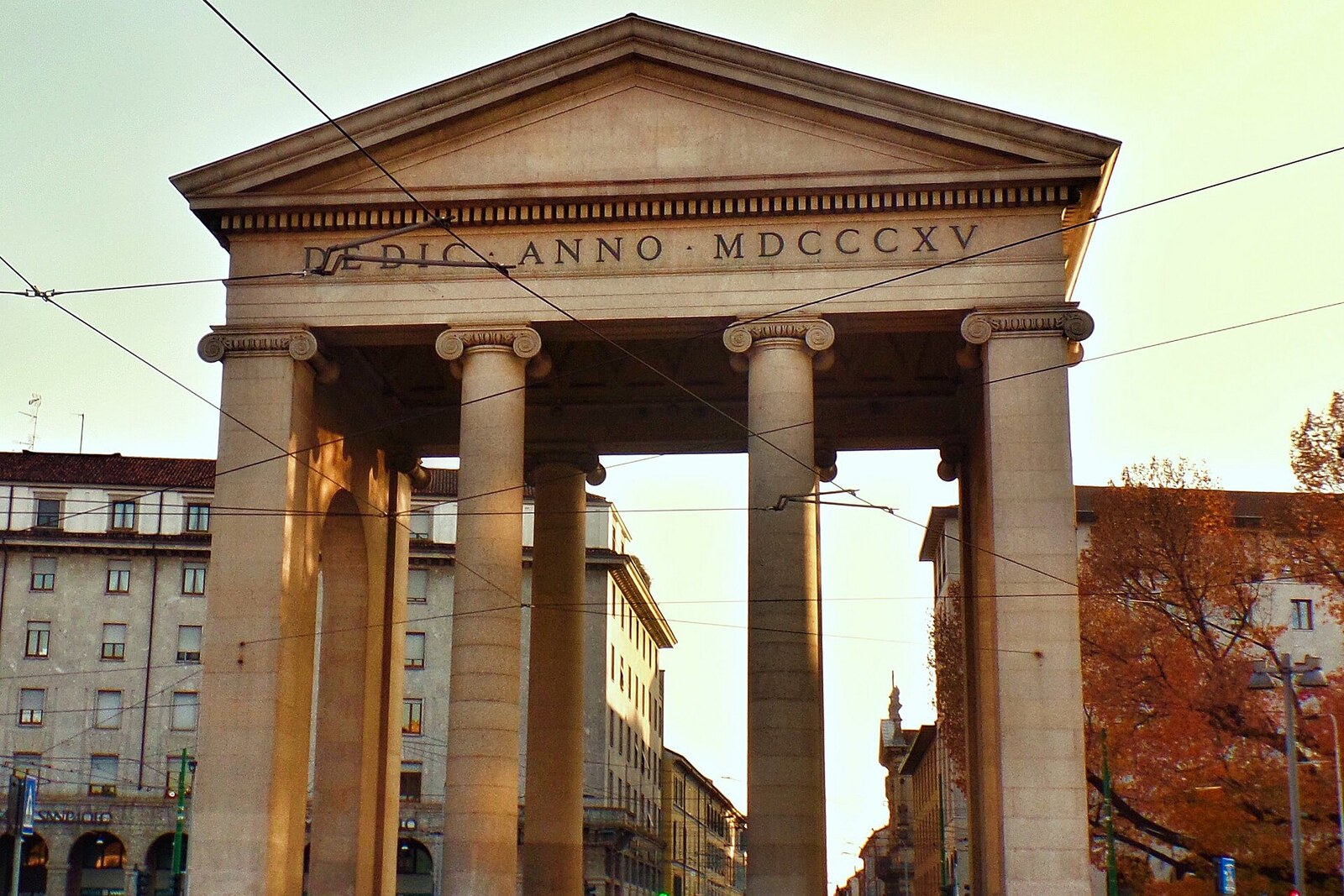
Look around first
What to notice
- Pink granite
- Ionic columns
- Triangular pediments
- Customs pavilions
The story of the place
Two gates bearing the same name stand along Corso di Porta Ticinese. The medieval arch remained closer to the Basilica of San Lorenzo Maggiore, while the later boundary of Milan ran here—the line of the Spanish bastions. The name passed from one city wall to another: the Romans called Pavia Ticinum, and the road to that city began here.
In the summer of eighteen hundred, the French army entered Milan by this road. It was led by Napoleon Bonaparte, First Consul and de facto head of France. Not long before, the Austrians had driven the French out of Northern Italy; Napoleon crossed the Alps, defeated them at the Battle of Marengo, and was now retaking Milan. The present granite structure did not yet exist.
They decided to commemorate the victory here. Dozens of Milanese property owners raised money by subscription for a new gate and named it Porta Marengo. Among the contributors was Luigi Cagnola, a wealthy nobleman who regarded architecture as an amateur pursuit and did not depend on the next fee. He won the competition and gained the opportunity to turn the southern entrance into a monument to Napoleon Bonaparte.
The first stone was laid on June sixteenth, eighteen hundred one, almost on the anniversary of Marengo. Cagnola gave the city checkpoint the appearance of an ancient ceremonial entrance: pink granite from Baveno, Ionic columns, triangular pediments, and a high vault above the passageway. He also intended to rebuild the long stretch of street in front of the gate, erect symmetrical colonnades and market buildings. The subscribers had enough money only for the gate itself and the customs pavilions.
These small buildings behind the columns explain the structure's everyday purpose. City tax collectors checked goods here that were brought into Milan from the south by roads and canals. The gate was placed beyond the line of fortifications, beside a water canal, so that merchants could not bypass customs control.
Construction dragged on until eighteen fourteen. By then Napoleon Bonaparte had been defeated, the Kingdom of Italy (1805–1814) that he had created had ceased to exist, and the Austrian administration had returned to Milan. Cagnola completed the structure under the city's former rulers. The dedication “To Napoleon the Great and Invincible” was removed, Porta Marengo was again called Porta Ticinese, and different words were carved on the pediment.
The Latin inscription has survived on the side facing Corso San Gottardo. It dedicates the gate “to peace—the liberator of peoples.” The name of the man for whom Milanese property owners paid for the entire structure no longer remained on the granite.
Useful on site
The open square and exterior viewing are available at any time; this is a traffic area, so view the architecture from the pedestrian side.
Checked: June 29, 2026. Check the official source before visiting.View the gate from the publicly accessible square and take account of the traffic around it. The exterior is enough to understand this stop: there is no need to enter the structures.